

Trade Tape is the live companion to Trade History. It helps you see the current trade plans and lifecycle state produced by active Playbooks without opening each Playbook separately.
Use it when you want to know what is relevant now; use Trade History when you want to study what was saved and how earlier setups resolved.
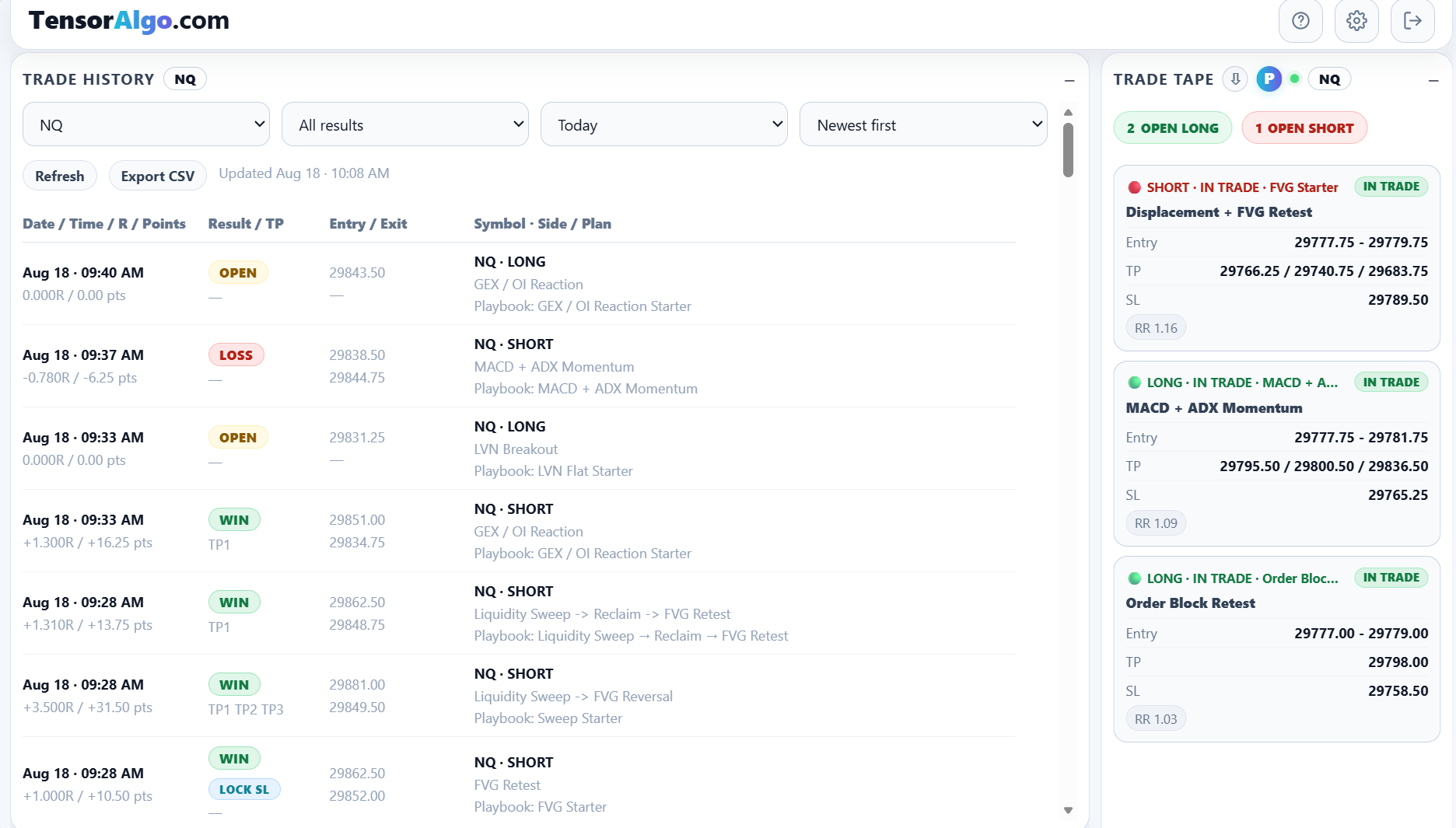
What Trade Tape can show
A current plan can include:
- instrument and Playbook;
- strategy name;
- long or short direction;
- lifecycle state;
- entry price or entry zone;
- profit targets;
- stop loss;
- planned risk/reward;
- compatibility or payoff warnings when applicable.
When open trades are present, the card can also summarize open long and open short counts.
Follow the setup lifecycle
Depending on the setup, Trade Tape can show lifecycle states such as:
- planned;
- armed;
- triggered;
- in trade;
- exit warning.
The state reflects the current supported Playbook lifecycle and available market data. It is useful context, not a replacement for understanding the Playbook that produced the plan.
Keep the card focused on what matters to you
Use the P control to show or hide planned setups. Hiding planned items can keep the card focused on setups that have progressed further through the lifecycle.
Use the sort-direction control to place newer plans at the top or bottom. The selected sort and planned-setup preference can remain available across sessions.
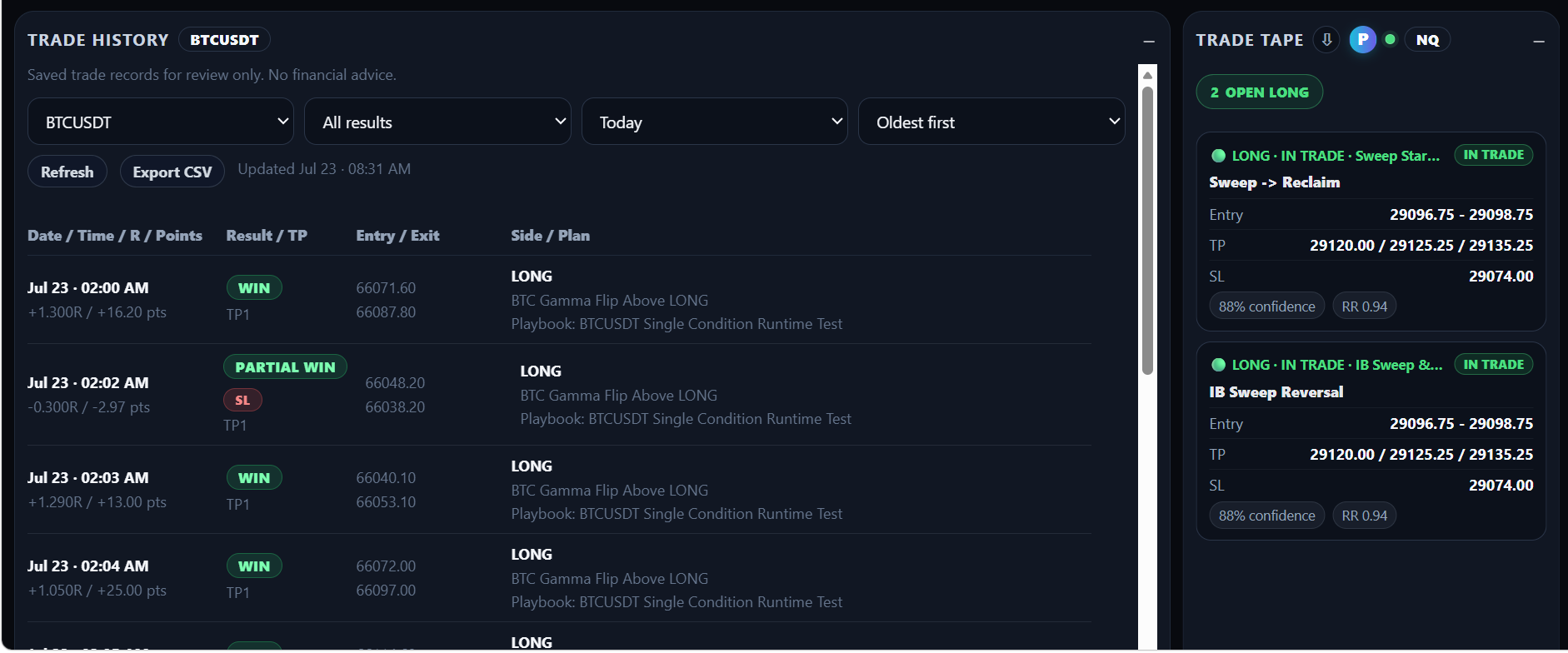
Monitor one market or a broader group
Where available, Trade Tape can be configured for one instrument or broader supported market groups. A broader card can be useful when you monitor several Playbooks, while a single-instrument card is easier when one market is the focus of the session.
Use Trade Tape together with Playbook cards
Trade Tape tells you which plans are currently relevant across the selected scope. Playbook cards give more Playbook-specific context. Keeping both available can make it easier to move from “something is active” to “which strategy and Playbook created this plan?”
Use Trade History when you need the outcome
Trade Tape is intentionally current-state focused. When you want to answer questions about wins, losses, R, points, entry/exit history, or repeated strategy behavior, move to Trade History.
That historical record can then feed into Trade Intelligence Center for broader performance analysis.
When Trade Tape is empty
Start with the simplest checks:
- confirm the relevant Playbook is active;
- confirm the selected instrument or market scope matches the Playbook;
- turn planned setups on if you want to see earlier lifecycle states;
- remember that an active Playbook can legitimately have no current qualifying plan;
- refresh the dashboard if you expect a state change that is not visible.
An empty card can also mean the related market data is temporarily unavailable or the current plan does not yet contain the information required for display.
If the card remains empty while a known active Playbook should have current lifecycle activity, use the Trade Tape troubleshooting guide and include the market and Playbook name if you open a Support Ticket.