

The standard Trade Intelligence workflow gives you a structured performance review without using AI Credits. It is the best place to start when you want to understand the evidence yourself before deciding whether a deeper AI-written review is necessary.
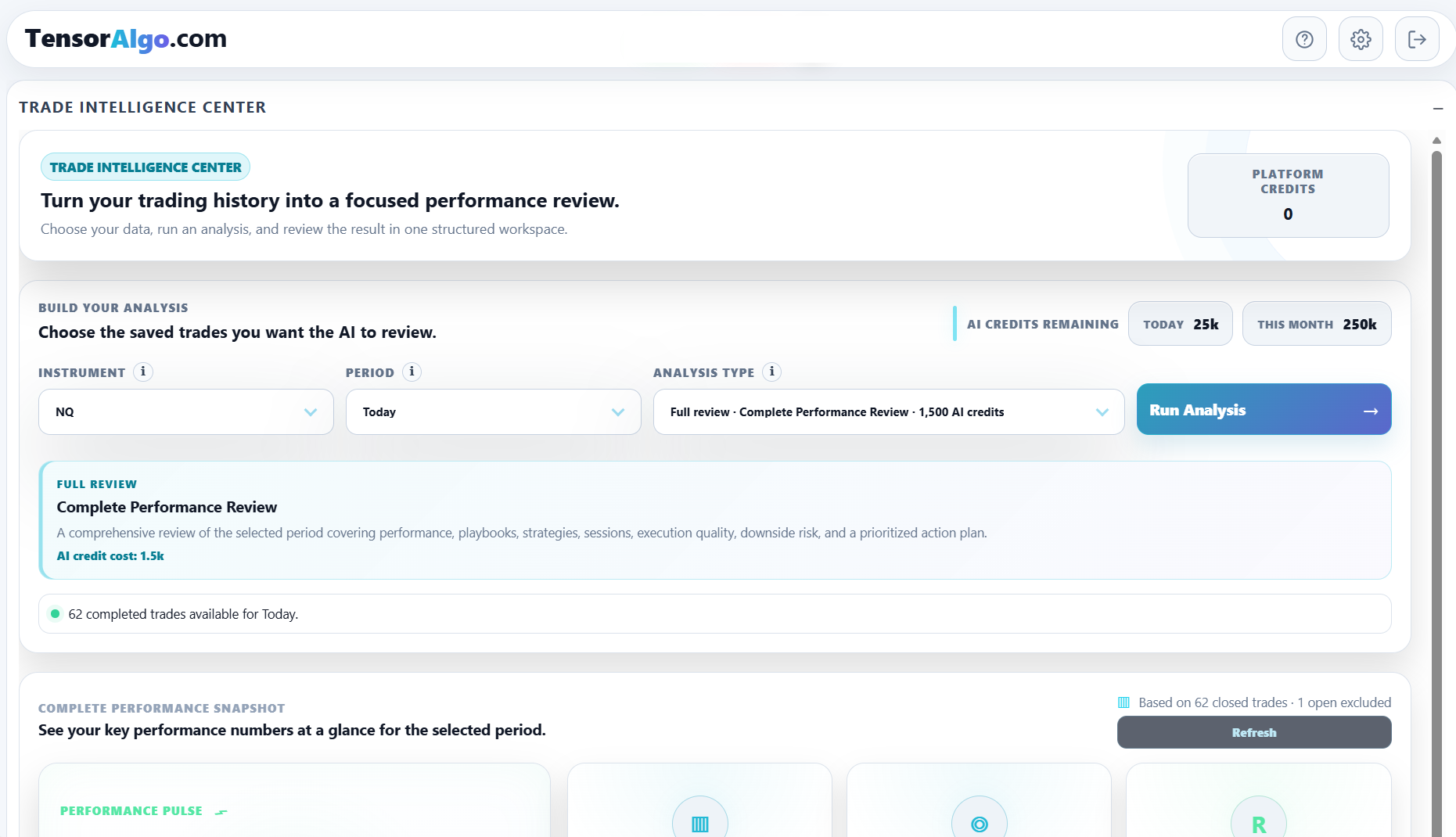
1. Open Trade Intelligence Center
Add or open the Trade Intelligence Center card on the dashboard.
The card brings the analysis controls, deterministic performance evidence, optional AI review, and Report Journal into one workspace.
2. Choose the instrument
Select the supported market you want to review. Make sure it matches the Trade History you expect to analyze.
If you trade several markets, review them deliberately rather than mixing conclusions from unrelated instruments.
3. Choose the period or date
Pick the time range that matches the question you are asking. A recent day can help you review one session; a rolling period gives a larger sample for recurring patterns.
The requested range must be inside the current account's historical-data entitlement.
4. Review the performance snapshot
You do not need to select Run Analysis for the deterministic analytics.
Depending on the available sample, the view can include:
- total and average R;
- trade and completed-trade counts;
- completed-trade win rate;
- average and total points;
- average hold time;
- Playbook and strategy contribution;
- session evidence;
- execution and downside observations.
Start with the overall sample, then move into the contributors that explain it.
5. Identify what is helping and hurting
Use the deterministic highlights and contributor evidence to answer focused questions:
- Which Playbook is contributing most?
- Which strategy is the largest drag?
- Is performance concentrated in one session?
- Is execution creating avoidable downside?
- Is one outlier responsible for most of the result?
When something stands out, return to Trade History and inspect the underlying rows before changing the Playbook.
6. Check sample reliability
Always read the trade count and evidence guidance with the conclusion.
A small sample can be a useful early observation, but TensorAlgo intentionally avoids treating it the same as a broader evidence set. If the view says it is still collecting evidence, that can be the correct conclusion for the current period.
7. Decide whether AI would add value
After you understand the deterministic layer, decide whether an AI review would help.
Use AI when you want a written synthesis, specialized review, or prioritized action plan. Skip it when the deterministic evidence already answers the question.
That separation helps you use AI Credits deliberately instead of spending them every time you open the Center.
8. Repeat the same review process
Trade Intelligence becomes most useful when you use a consistent process over time:
- select the market and period;
- review deterministic evidence;
- check the strongest and weakest contributors;
- inspect Trade History when needed;
- note sample limitations;
- run AI only when deeper synthesis helps;
- compare the next review with the previous one.
The goal is not to maximize the number of analyses you run. It is to make each review lead to a clearer understanding of your trading process.
If the standard analytics do not load
Confirm the selected instrument, period, historical-data range, and existence of completed Trade History first. An empty sample or low-sample message is different from a technical loading failure.
If completed records exist for the selected scope but the deterministic view still remains unavailable after a refresh, use the Trade Intelligence troubleshooting guide.