

Saved Risk Profiles let TensorAlgo compare a setup with your personal risk preferences and surface clearer compatibility warnings before you decide what to do with that information.
They are useful when you want the platform to understand the boundaries that matter to you—such as risk per trade, preferred risk/reward, stop-distance ranges, cooldowns, or account-level limits—without changing the Playbook itself.
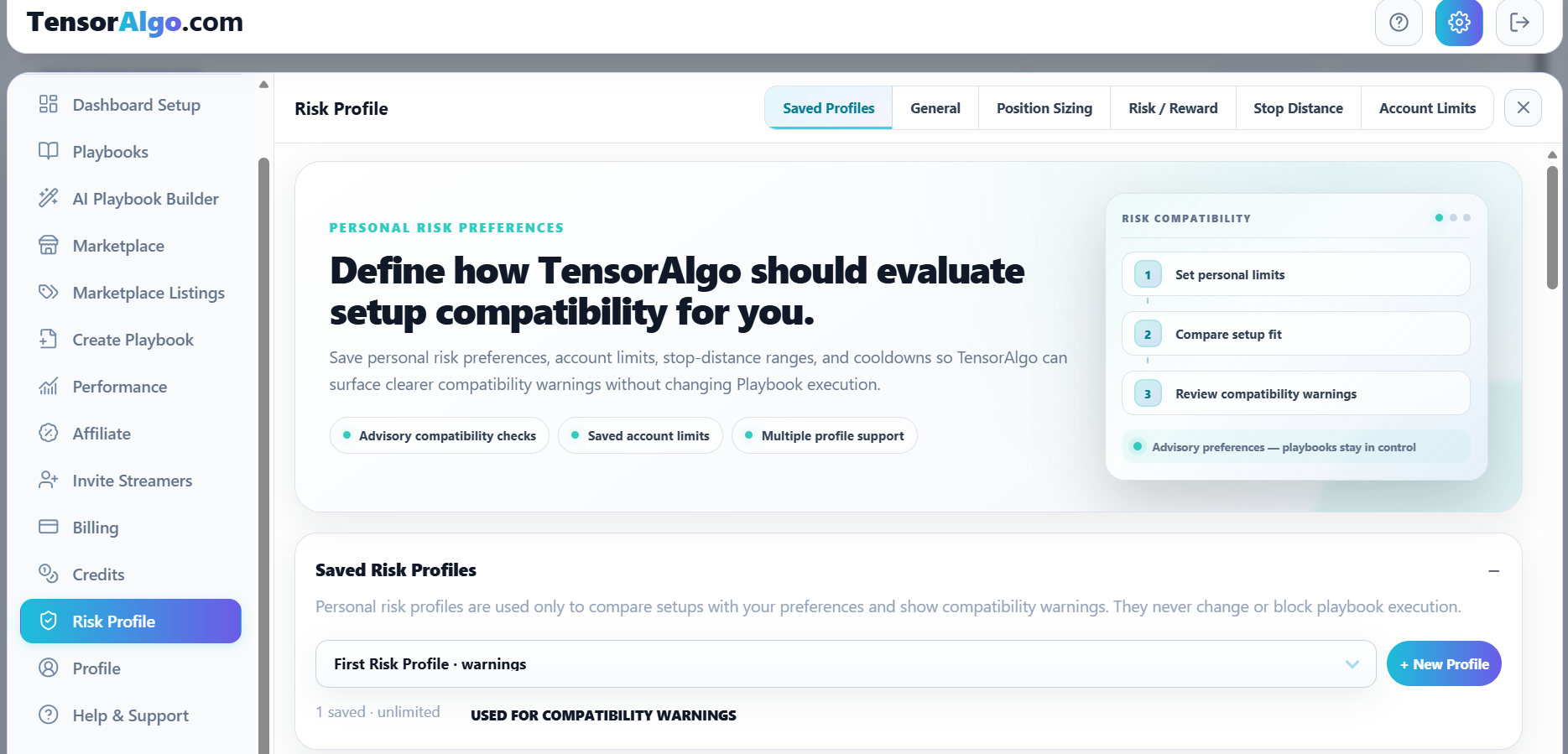
Risk Profiles are advisory, not execution rules
A Risk Profile does not change or block Playbook execution. The active Playbook's own risk and trade-management settings continue to govern runtime behavior.
Think of the Risk Profile as a personal comparison layer: TensorAlgo can tell you when a setup sits outside preferences you saved, while the Playbook remains in control of its actual trading logic.
Create a profile around the way you manage risk
- Open Settings → Risk Profile.
- Choose New Profile.
- Give the profile a clear name.
- Configure the preferences that matter to you.
- Save the profile.
- Select the profile you want TensorAlgo to use for compatibility warnings.
You can maintain different profiles when your account limit allows it—for example, separate preferences for different account sizes or trading contexts.
Define position sizing and setup-quality preferences
A saved profile can include a maximum risk-per-trade preference and setup-grade multipliers, so the compatibility layer can compare stronger or weaker setup grades with the sizing preferences you configured.
You can also define risk/reward preferences such as minimum R:R, TP1 R:R floor, minimum target distance, and stop-loss buffer values.
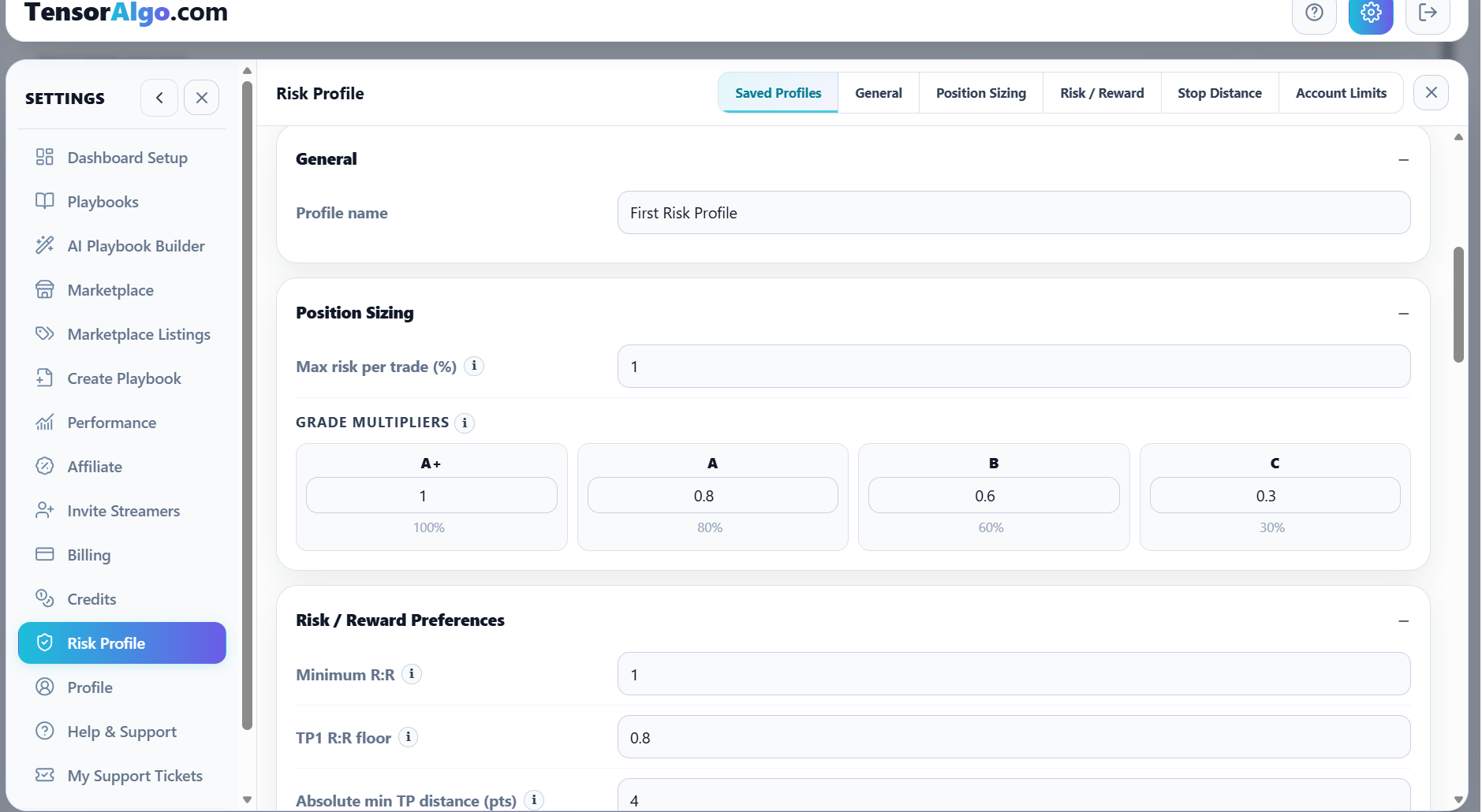
These values help make compatibility feedback more personal instead of treating every trader or account as if the same setup characteristics were equally suitable.
Set stop-distance preferences and cooldowns
Risk Profiles can also store preferred stop-distance ranges and cooldown preferences.
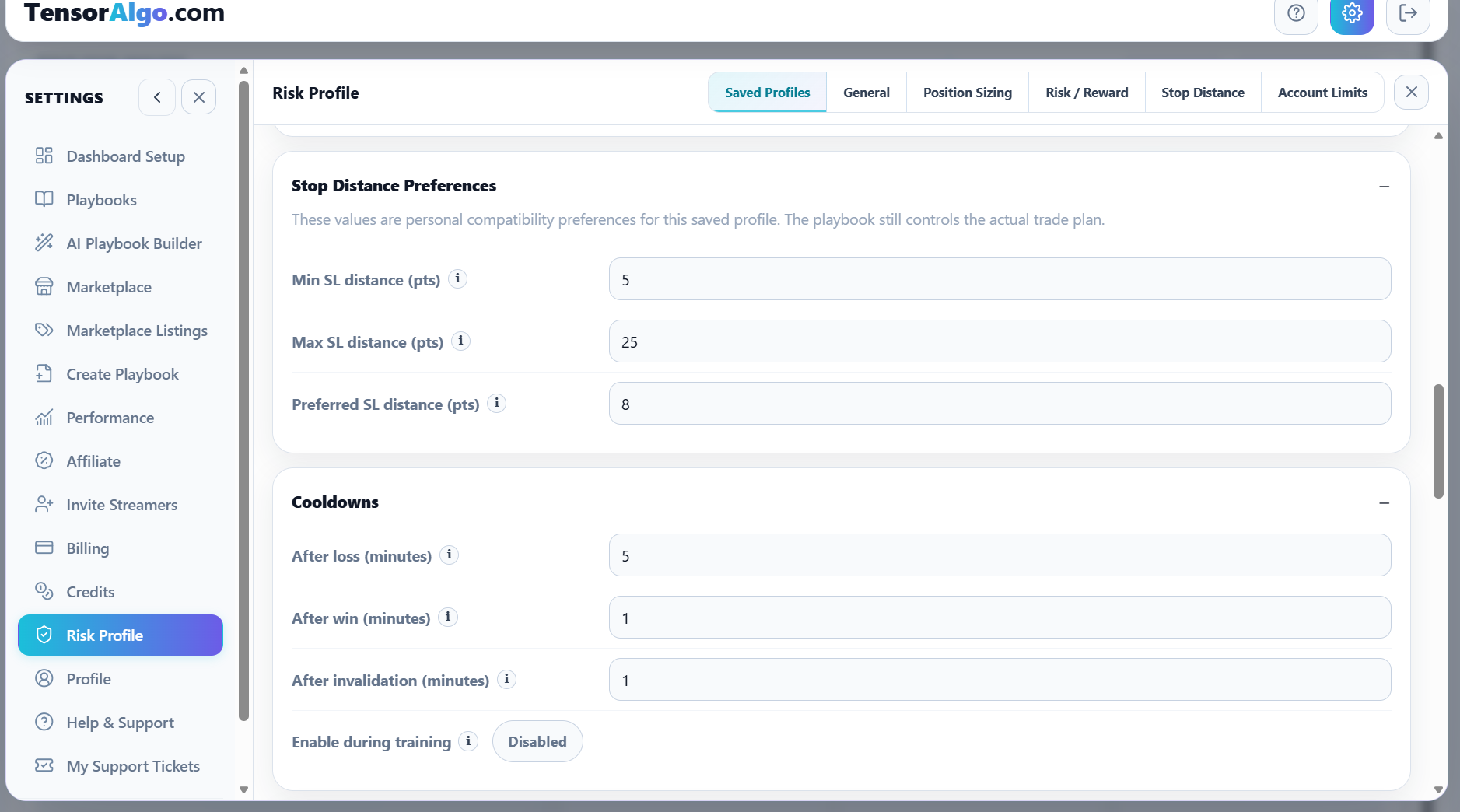
For stop distance, you can define minimum, maximum, and preferred values. Cooldown preferences can capture the amount of time you want associated with events such as a loss, win, or invalidation.
These remain compatibility preferences. They do not override the Playbook's actual trade plan.
Add account limits for more relevant warnings
A profile can also include account-oriented limits such as account name, firm, maximum total loss, optional daily loss limit, drawdown already used, warning/caution/exclude thresholds, maximum contracts, and minimum trade duration.
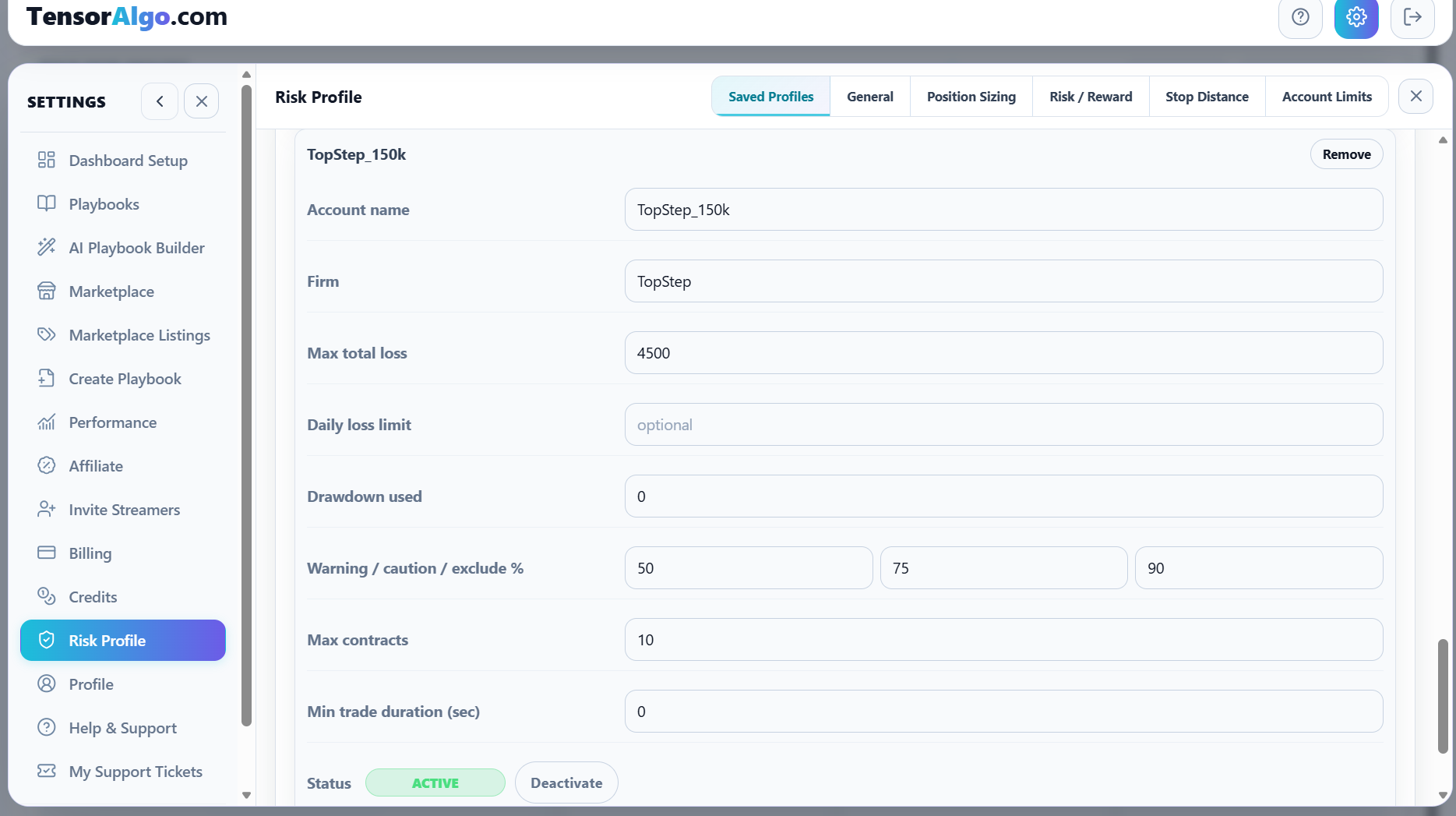
This is especially useful when you want the same TensorAlgo account to remember different risk contexts and compare setups with the currently selected profile.
Choose which profile is used for warnings
Open the saved profile and select Use for compatibility warnings. Only one saved profile is selected for warnings at a time.
You can edit another profile without making it the active comparison profile, then switch later when your trading context changes.
How many Risk Profiles can you save?
Current system-default limits are:
| Plan | Saved Risk Profiles |
|---|---|
| Starter | 1 |
| Pro | 3 |
| Max | 10 |
The effective limit shown for the signed-in account is authoritative.
Edit or remove a profile
Select a saved profile to change its values, then save the updates. Use the available remove/delete action when you no longer need a profile.
At least one Risk Profile must remain when the account requires a default profile.
Troubleshooting Risk Profiles
If you cannot create another profile, first check whether the account has reached its saved-Risk-Profile limit. Delete an unused profile or review the available plan options if you need more capacity.
If compatibility warnings seem unexpected, confirm that the intended profile is selected for warnings and review the saved values. Remember that a warning reflects the selected preferences; it does not mean TensorAlgo changed the Playbook's execution rules.