

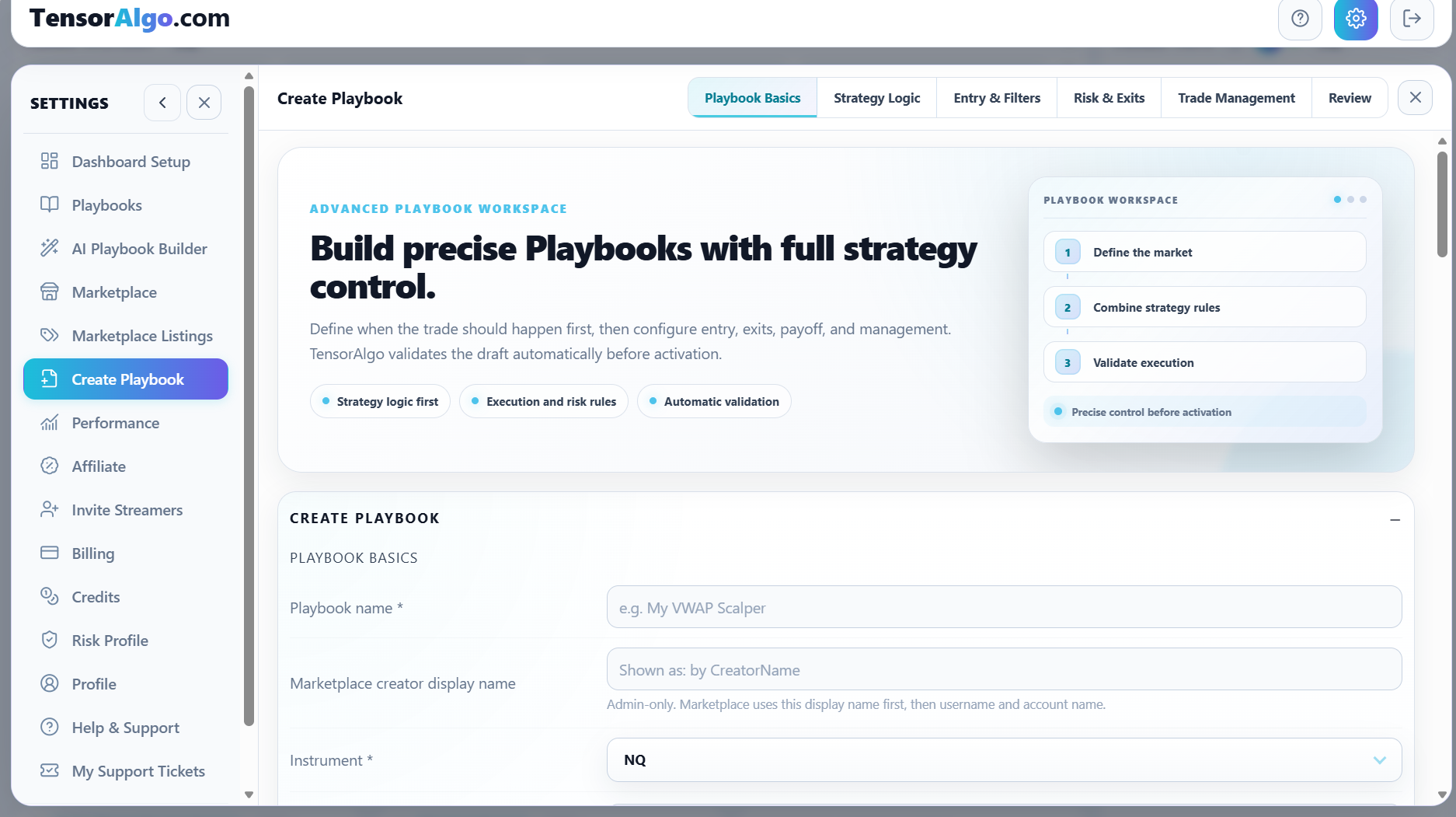
A Playbook is the structured version of a trading idea inside TensorAlgo. It gives the platform a consistent definition of what market you are watching, what setup matters, what should confirm it, and how the resulting trade plan should be handled.
That structure is what connects Playbook creation to active monitoring, Trade History, and later performance review.
What a Playbook can define
Depending on the strategy and configuration, a Playbook can bring together:
- the supported market or instrument;
- one or more supported strategies;
- conditions, sequences, confirmations, and contextual requirements;
- entry and filter preferences;
- stop and target settings;
- risk/reward handling;
- break-even, managed-stop, and other trade-management preferences;
- activation and evaluation settings.
The exact options available depend on the Playbook, strategy structure, and account entitlement.
Why use a Playbook instead of keeping the setup in your head?
A Playbook makes the strategy easier to evaluate consistently. The same definition can be used when TensorAlgo monitors supported market conditions and when you later review the resulting activity.
That gives you a clearer answer to questions such as:
- Was this actually the setup I intended to trade?
- Which version of the strategy produced the result?
- Which Playbooks are contributing most over time?
- Are weaker results coming from the strategy, the session, or execution?
The value is not only the signal or setup itself. It is the connection between the rule definition and the evidence that follows it.
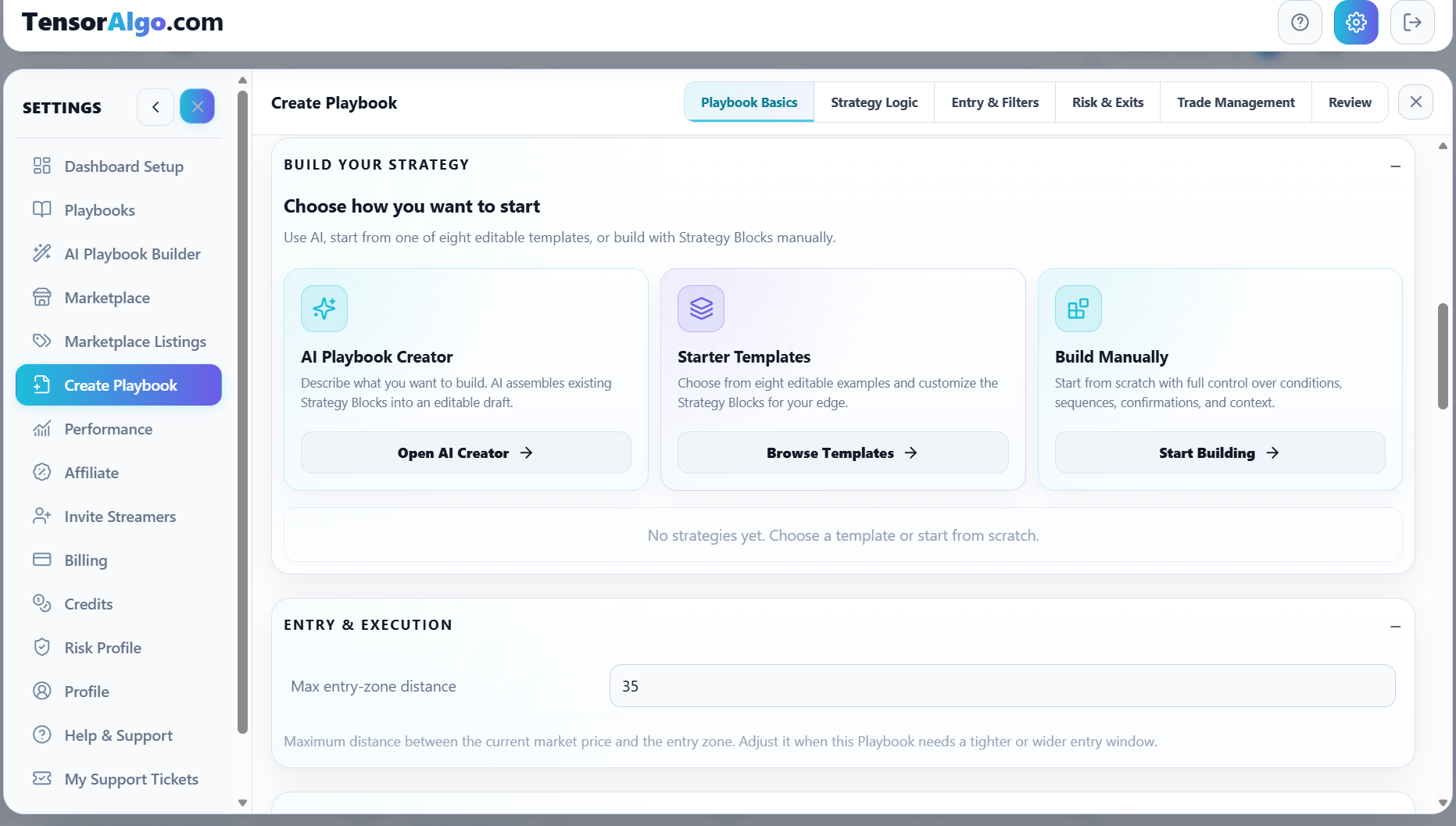
Three ways to create your own Playbook
Open Settings → Create Playbook and choose the route that fits the way you want to work.
AI Playbook Builder
Describe the strategy idea in normal language. TensorAlgo maps it to supported Strategy Blocks and creates an editable Playbook with one supported strategy. This is the fastest route when you know the trading idea but do not want to assemble every rule manually.
Starter Templates
Start from one of the editable example Playbooks and customize its Strategy Blocks and settings. This is useful when you want a concrete structure to learn from or modify.
Build Manually
Start from scratch and configure the strategy structure and Playbook-level execution settings directly. This gives the most control when you already know exactly how you want the workflow defined.
Playbooks can also come from the Marketplace
Eligible users can rent or purchase qualified Playbooks from the TensorAlgo Marketplace. These appear in the account alongside other available Playbooks but can have different editing, deletion, and renewal actions because the strategy belongs to another creator.
Protected Marketplace strategy details remain hidden from buyers, renters, and public support while the Playbook is used through TensorAlgo.
Saved and active are different states
A saved Playbook does not need to be active.
- Saved means the Playbook is available in your account for review or later use.
- Active means it participates in active TensorAlgo evaluation, subject to the current account's active-Playbook and active-strategy limits.
This lets you keep multiple ideas organized without evaluating all of them at the same time.
What happens after activation
When an active Playbook's supported conditions are evaluated, TensorAlgo can surface setup and lifecycle information through the dashboard. Trade History can then provide recorded evidence tied back to the Playbook and strategy.
That history can flow into Trade Intelligence Center, where you can compare performance across Playbooks, strategies, sessions, and other evidence.
Playbooks stay in control of their own execution settings
Personal Risk Profiles can compare a setup with your preferences and show compatibility warnings, but they do not silently rewrite the Playbook. The Playbook remains the source of the actual configured strategy and trade-plan settings.
A practical Playbook workflow
- Define or acquire the Playbook.
- Review its strategy and execution settings.
- Save it while you are still refining it.
- Activate it when validation and account capacity allow.
- Review its setup/trade evidence in Trade History.
- Use Trade Intelligence Center to understand how it performs over time.
- Refine the Playbook you own when the evidence supports a change.
A Playbook provides structure, not a guarantee of a profitable outcome. The user remains responsible for trading decisions and risk controls.