

TensorAlgo connects the main stages of a trading workflow so the rules you define can stay connected to the setups you monitor and the results you review later.
A useful way to think about the platform is Plan → Monitor → Record → Review → Improve.
1. Start with a structured Playbook
Every repeatable workflow starts with a Playbook. A Playbook defines the market and the strategy structure TensorAlgo should evaluate, together with the applicable entry, filter, risk, exit, and management preferences.
You can get to that first version in the way that fits you best:
- AI Playbook Builder turns a written strategy idea into an editable Playbook with one supported strategy;
- Starter Templates give you editable examples to customize;
- Build Manually gives you direct control over supported Strategy Blocks and settings;
- the Marketplace lets eligible users rent or purchase qualified creator-built Playbooks.
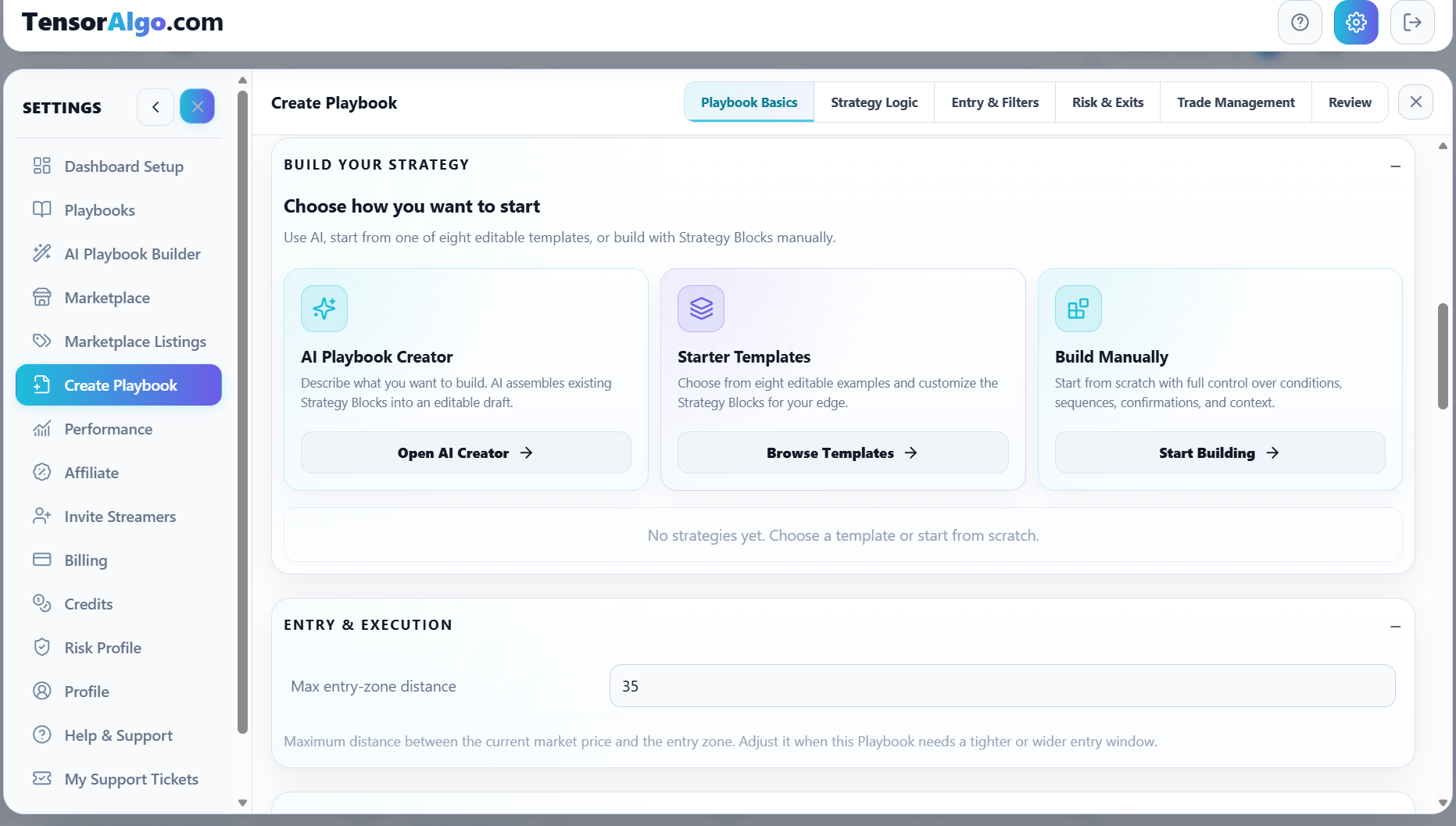
Nothing has to become active just because it was created. You can save a draft, review it, and activate it when its validation checks and your account capacity allow.
2. Activate the Playbooks you want TensorAlgo to evaluate
Activation tells TensorAlgo which saved Playbooks should participate in active evaluation. The number of simultaneously active Playbooks and strategies depends on the current account limits.
Before activation, the builder can surface configuration or validation issues so you can correct the Playbook rather than discovering a missing requirement later.
Once active, the Playbook evaluates its supported conditions against supported market data. The Playbook remains the defined trading plan; contextual tools and personal Risk Profiles can add information or compatibility warnings without silently rewriting that plan.
3. Build the dashboard around your session
Dashboard Setup lets you choose the cards and markets you want visible, arrange the workspace, and control details that should stay on screen while you trade.
This is where the Playbook workflow becomes practical: active Playbooks, live setup information, market-context cards, Trade Tape, and Trade History can live in the same workspace instead of being disconnected views.
4. Follow setup and lifecycle activity
When supported conditions are met, TensorAlgo can surface setup and lifecycle information through tools such as Playbook cards and Trade Tape. Trade Tape gives you a compact view of currently relevant/open plan information, while the dashboard keeps the wider market and Playbook context visible.
The purpose is consistency: the same structured Playbook that describes the setup is also the basis for how TensorAlgo monitors it.
5. Use Trade History as the evidence layer
Trade History records supported setup/trade lifecycle results so you can review what actually happened. You can filter by market, result, period, and order, and eligible accounts can export Trade History as CSV.
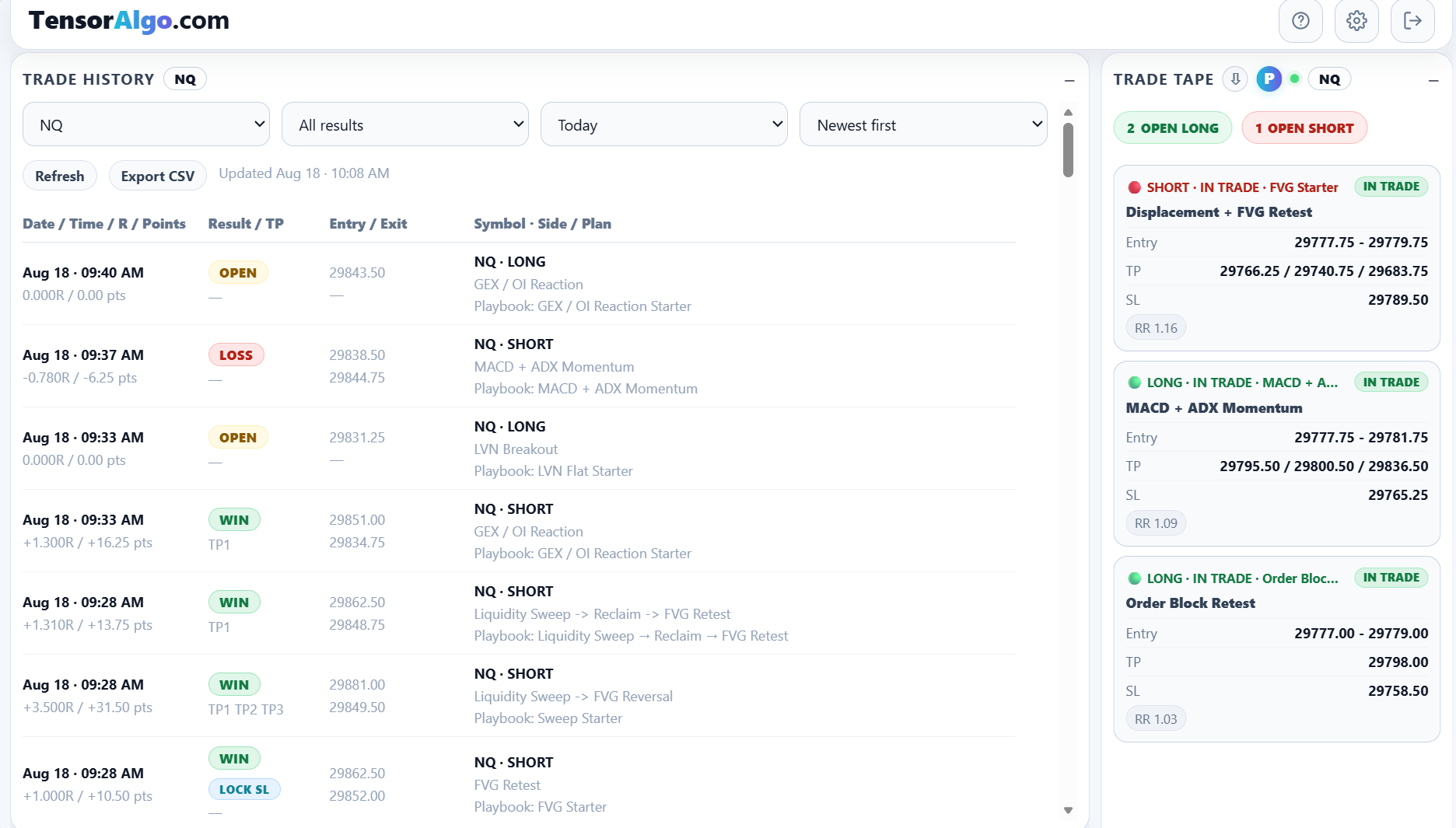
This gives the later analytics something more useful than memory or isolated screenshots: a consistent history tied back to symbols, directions, strategies, and Playbooks.
6. Turn the history into Trade Intelligence
Trade Intelligence Center uses saved trading evidence to help answer questions such as:
- Which Playbooks or strategies are contributing most?
- Which sessions are stronger or weaker?
- Is execution quality helping or hurting?
- Where is downside concentrated?
- Is the sample size large enough to trust a pattern yet?
The standard deterministic analytics can be used without spending AI Credits. Optional AI-powered reviews can synthesize a larger set of evidence into a structured analysis, saved report, and next-step plan.
7. Refine the next version
The final step is to use what you learned. That might mean changing a Playbook you own, focusing on a stronger session, correcting an execution habit, adjusting your dashboard, or simply waiting for a larger sample before changing anything.
This feedback loop is the main idea behind TensorAlgo: define the process clearly enough that you can review it honestly later.
TensorAlgo does not guarantee profitable outcomes. Market context, setup monitoring, historical results, and AI analysis are decision-support tools and remain subject to the user's own judgment and risk controls.