

AI-powered Trade Intelligence is for the moment when you want TensorAlgo to go beyond the deterministic metrics and turn a larger body of trading evidence into a structured written review.
The analysis starts from the same saved trade history you can inspect yourself. It adds synthesis: what contributed, what dragged, which observations are well-supported, where the sample is still weak, and what deserves a measurable follow-up.
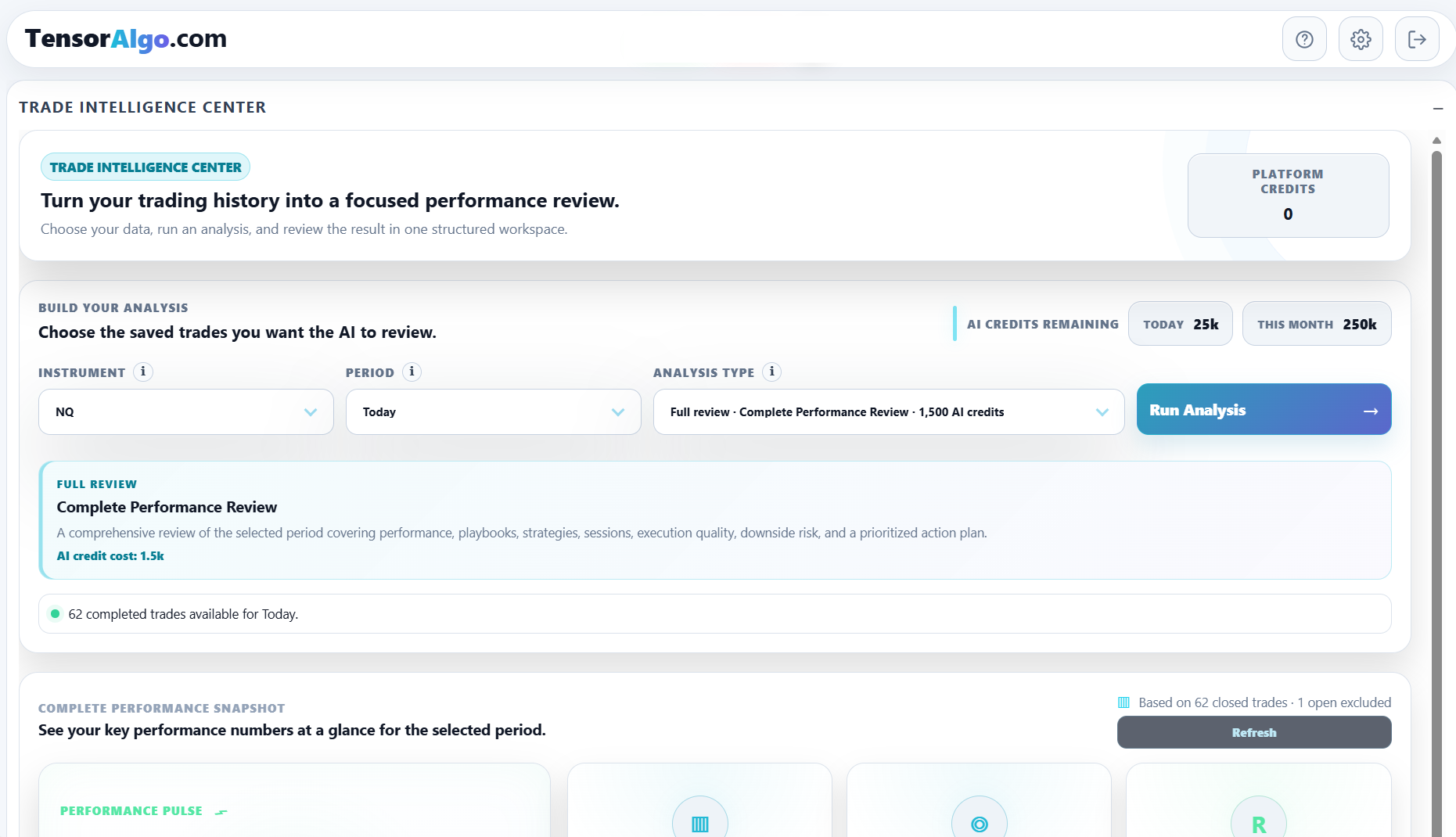
Start with the deterministic evidence first
Before spending AI Credits, look at the standard performance snapshot and contributor evidence. This gives you context for the report and helps you choose the right analysis type.
A useful question is not simply “Analyze my trades.” It is “What do I want to understand from this sample?”
For example:
- overall performance and the biggest contributors;
- whether a Playbook or strategy is helping or hurting;
- session-specific behavior;
- execution quality;
- downside/risk patterns;
- a prioritized review of the complete period.
Choose the instrument and period
- Open Trade Intelligence Center.
- Select the supported instrument you want to review.
- Choose an eligible period or a specific date.
- Confirm that the selected scope contains completed trades.
The available historical range depends on the account's current entitlement.
Choose the analysis type that matches the question
The analysis selector shows the available review modes and the AI Credit cost before you run them.
Verified current AI Credit prices include:
| Review | AI Credits |
|---|---|
| Session Edge Review | 750 |
| Playbook & Strategy Review | 1,250 |
| Complete Performance Review | 1,500 |
| Morning Brief | 750 |
| Weekly Action Plan | 1,250 |
| Monthly Progress Review | 1,500 |
The product's displayed current price remains authoritative when you start a review.
Choose a specialized review when you already know the area you want to investigate. Choose Complete Performance Review when you want the broadest synthesis across performance, Playbooks, strategies, sessions, execution, downside/risk, and next steps.
Run the review
- Confirm the selected instrument and period.
- Confirm the analysis type and displayed AI Credit cost.
- Select Run Analysis.
- Wait for the review to complete.
- Read the report from evidence to conclusions rather than jumping directly to the final action plan.
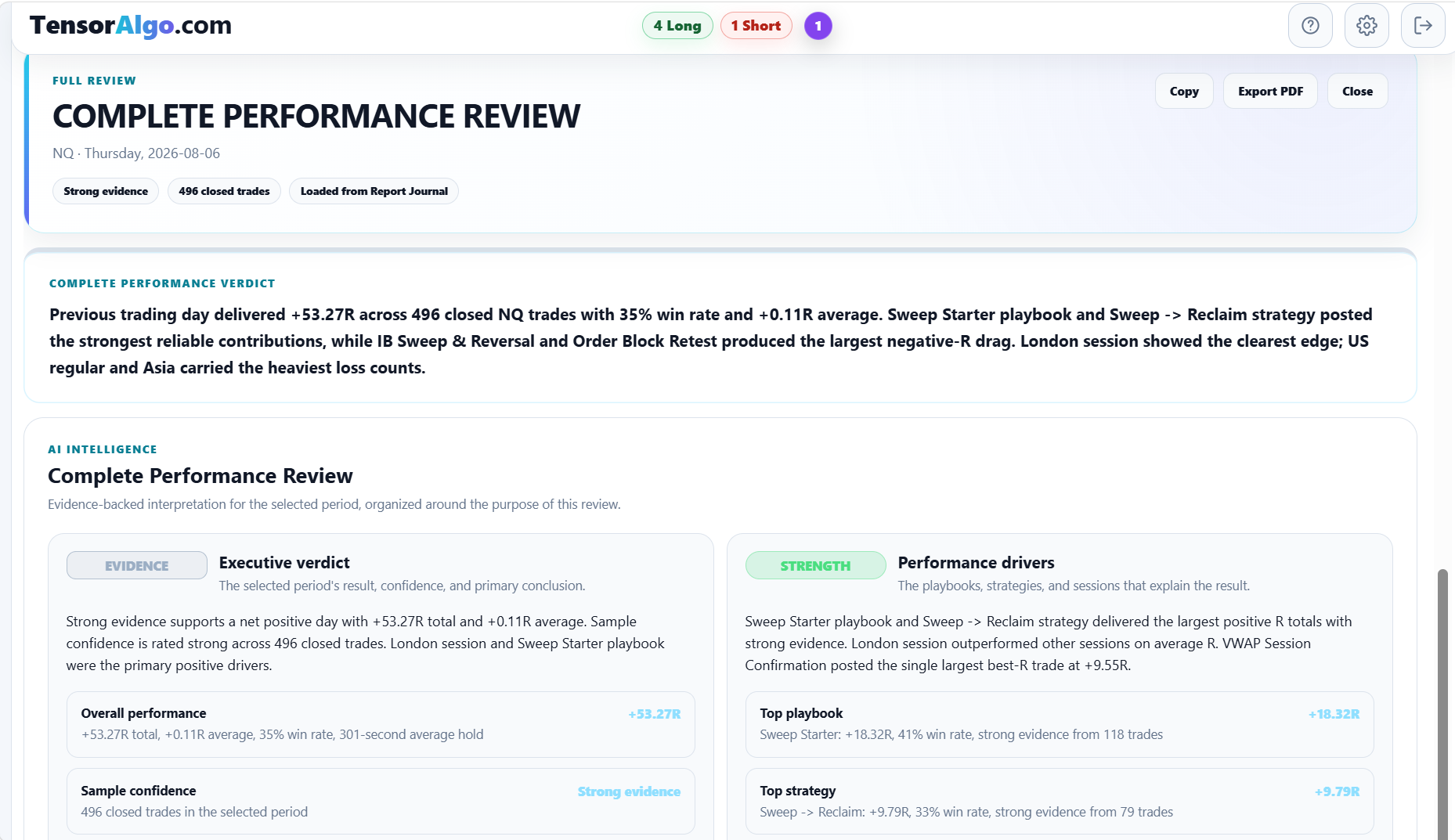
A completed review can combine deterministic evidence with an AI-written interpretation. The AI layer should not invent certainty where the sample is weak; sample-size and evidence-quality information remain important parts of the report.
Use AI Credits deliberately
Running a new AI analysis consumes AI Credits. Included AI Credits are used before applicable Platform Credits according to the current credit rules.
You do not need AI Credits to use the deterministic Trade Intelligence analytics. Reopening an already completed saved report or downloading its existing PDF does not by itself start another AI review.
That makes it practical to use the deterministic layer frequently and reserve AI reviews for moments when the deeper synthesis is valuable.
Turn the report into something measurable
A useful report should lead to a follow-up question you can test later—for example:
- Did execution improve after the identified mistake?
- Did a weak session remain weak in the next larger sample?
- Did a Playbook change improve the intended behavior?
- Was an apparent strategy edge still present after more completed trades?
Completed AI reviews are saved in the Report Journal, so you can revisit the exact analysis instead of relying on memory.
If the analysis cannot run
Check these items in order:
- confirm completed trades exist for the selected scope;
- confirm the period is inside the account's historical-data limit;
- check the displayed AI Credit balance and applicable Platform Credit fallback;
- confirm the selected instrument and analysis type are available;
- refresh once if the request appears stuck before starting another analysis.
If credits were deducted but no report was created, do not repeatedly rerun the same request. Open a Support Ticket with the analysis type, instrument, approximate time, and visible error state.